
Add your own fields to terms, such as a color, an image, or a short label.
- Go to WP Taxonomy → All Terms → Term Fields.
- Enter a Field label, which is shown on the term screen, and a Field key of lowercase letters, numbers, and underscores.
- Choose the Taxonomy and the Field type: Text, Color, Image, Select, or URL.
- Click Add field.
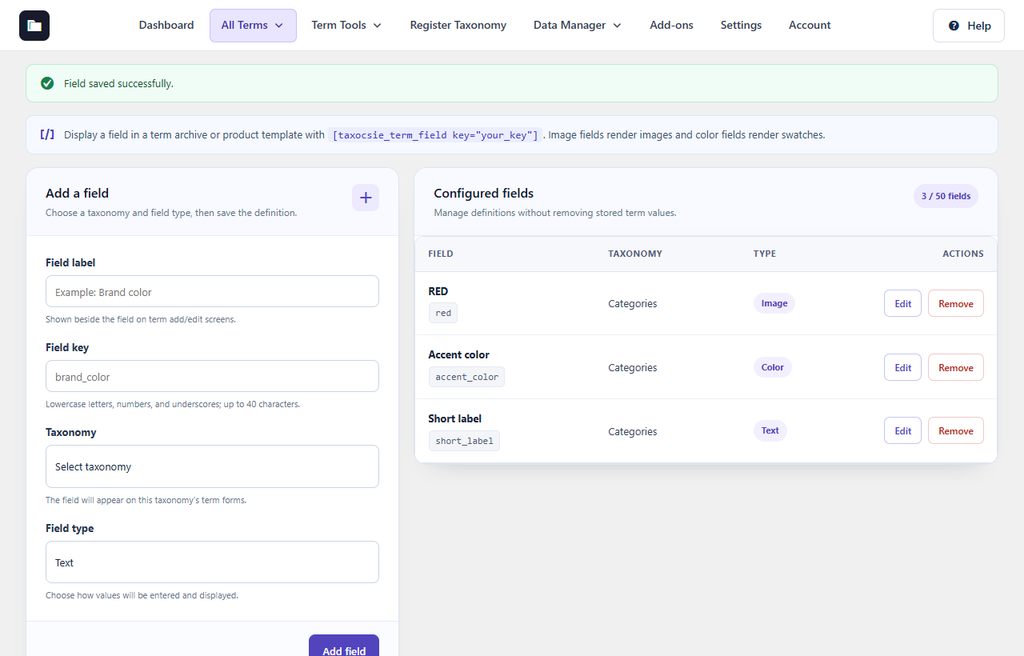
Figure 31. Two fields added to Categories: Accent color and Short label.
The field now appears on the taxonomy’s Add and Edit term screens. To show a value on your site, add to a term archive or product template. Image fields display the image and color fields display a color swatch. You can create up to 50 fields. Removing a field definition keeps the values already saved.
Custom field values (Pro)
Fields that you create in Term Fields appear on these screens. Enter a value and save the term. See the Term Fields (Pro) tab.