
The Dashboard shows how many terms the site has, how many items you have imported and exported, quick links to common tasks, and your recent CSV imports. The Export terms and Import CSV buttons at the top right open Data Manager.
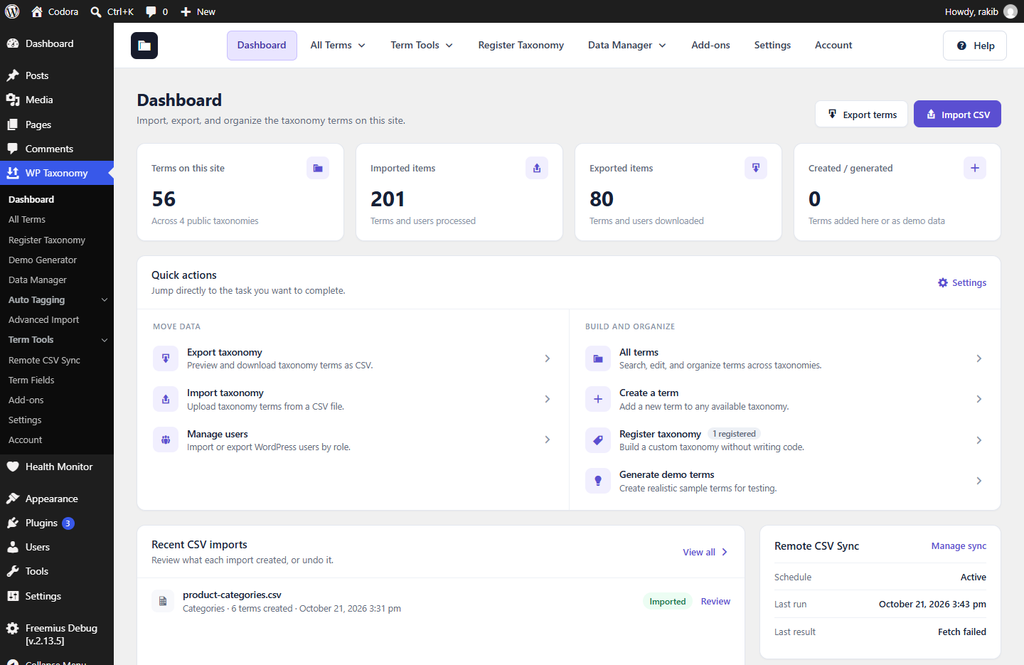
Figure 1. The plugin Dashboard.
Every plugin screen has the same navigation bar at the top. Three of its items open a menu:
- All Terms: All Terms, Create Term, Demo Generator, Auto Tagging (Manual and AI Suggestions), and Term Fields.
- Term Tools: Term Meta Transfer, Term Maintenance, Term Redirects, Unused Terms, and Duplicate Terms.
- Data Manager: Data Manager (export, import, edit, order, and users), Advanced Import, and Remote CSV Sync.
Register Taxonomy, Add-ons, Settings, and Account open directly. Help opens the online documentation. Some items appear only when Pro is active or when their add-on is turned on.
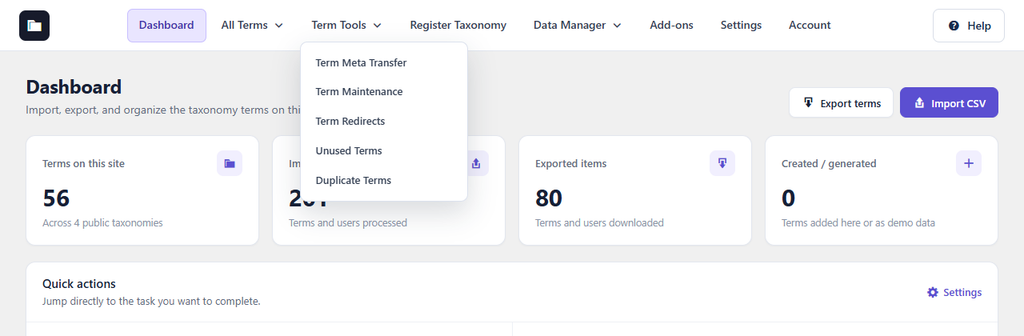
Figure 2. The Term Tools menu in the navigation bar.