
Create a new group of terms, such as Genres or Brands, without writing code.
- Go to WP Taxonomy → Register Taxonomy and click New taxonomy.
- Enter the Label (Plural), for example Genres, and optionally the Singular Label. The Slug is filled in automatically; it must be lowercase and contain no spaces.
- Under Taxonomy Type, choose Tags for a flat list, or Categories for terms that can have parents.
- Under Attach to Post Types, tick where the taxonomy is used, for example Posts.
- Click Register Taxonomy.
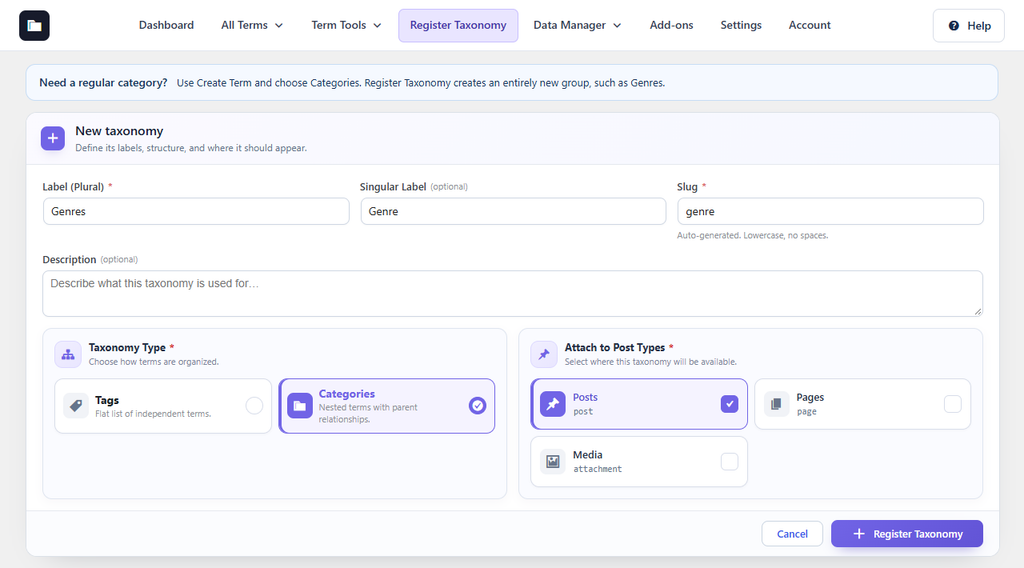
Figure 19. Registering a Genres taxonomy for posts.
The new taxonomy appears in the list and in the WordPress menu of the post types you chose. Use the menu button in its row to edit or delete it.
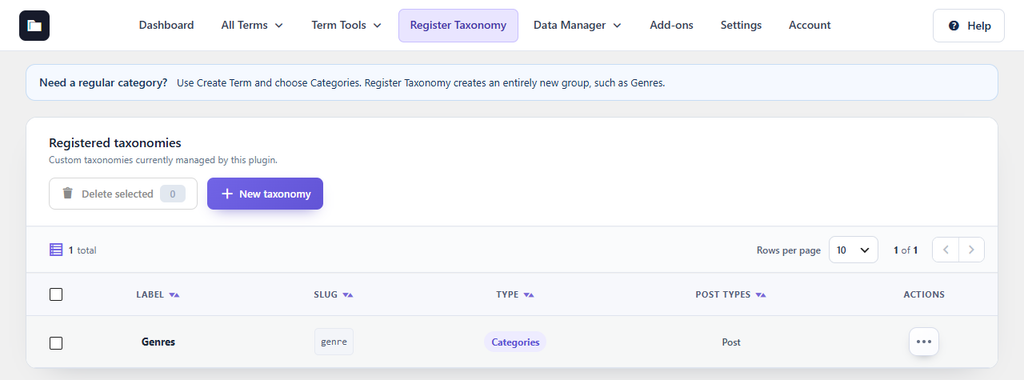
Figure 20. The registered taxonomy in the list.
Note: To add an ordinary category, do not register a taxonomy. Use Create Term and choose Categories.