
Unused Terms finds terms that have no content and no child terms, and deletes the ones you choose.
- Go to WP Taxonomy → Term Tools → Unused Terms.
- Choose a taxonomy and click Preview unused terms.
- Tick the terms to delete, up to 50 at a time.
- Type DELETE in the confirmation box and click Delete selected (up to 50).
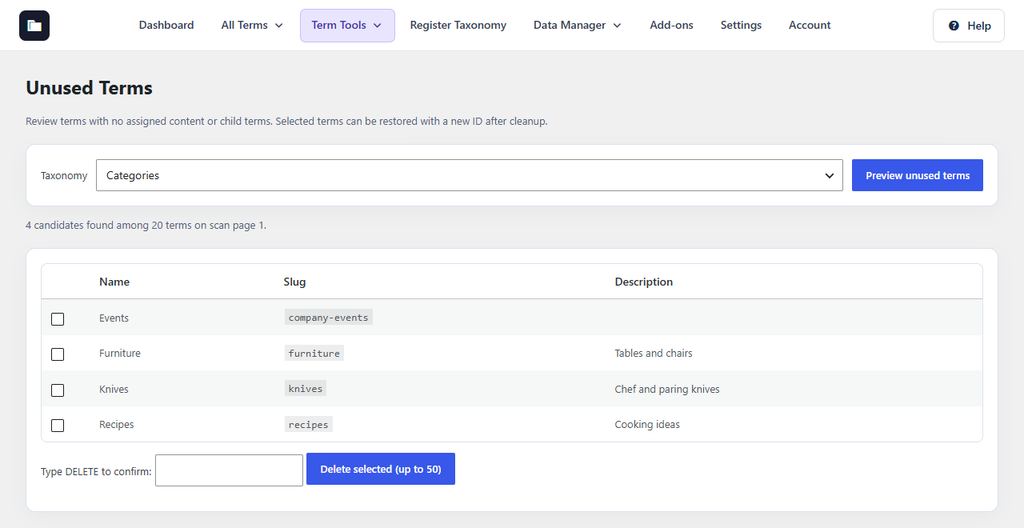
Figure 23. Four unused categories found.
Terms assigned to any content (including drafts), terms with child terms, default terms, and terms with a custom link are never listed. Cleanup history can restore deleted terms with their metadata; restored terms get new IDs. A term cannot be restored if another term now uses its slug.