
- Click the round Ask a question button at the bottom right of any plugin screen.
- Enter your name and reply email, choose a Topic, and write your question.
- Leave Include site details ticked to send your site address and your WordPress, PHP, and plugin versions with the question.
- Click Send question. The team replies by email.
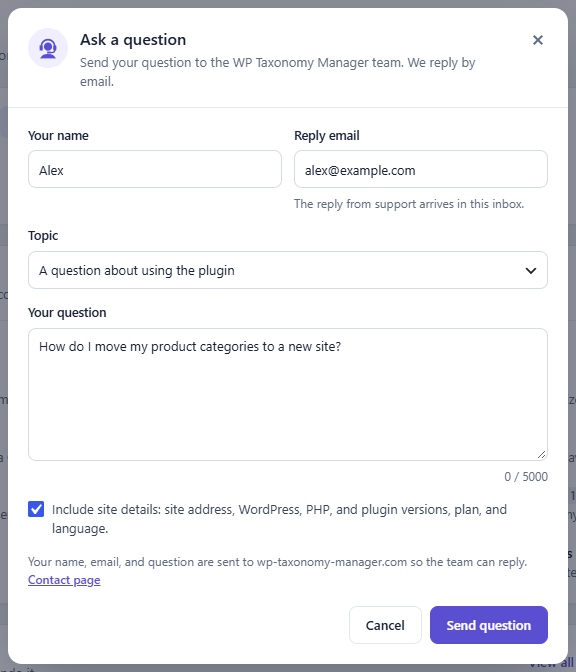
Figure 39. The Ask a question form.
The Help button in the navigation bar opens the online documentation at wp-taxonomy-manager.com/documentation. You can also write to the team through wp-taxonomy-manager.com/contact.