
The Inline Term Editor in Data Manager changes many term names and slugs at once.
- In Data Manager, select Categories, tags & terms and click Edit.
- Choose a Taxonomy. To narrow the list, type part of a name or slug in Search terms.
- Click Load terms.
- Change the Term name or Slug of the terms you want to edit. Changed rows are highlighted and marked Changed.
- Use the arrow buttons to edit terms on other pages. Changes on other pages stay queued until you save.
- Click Save changes.
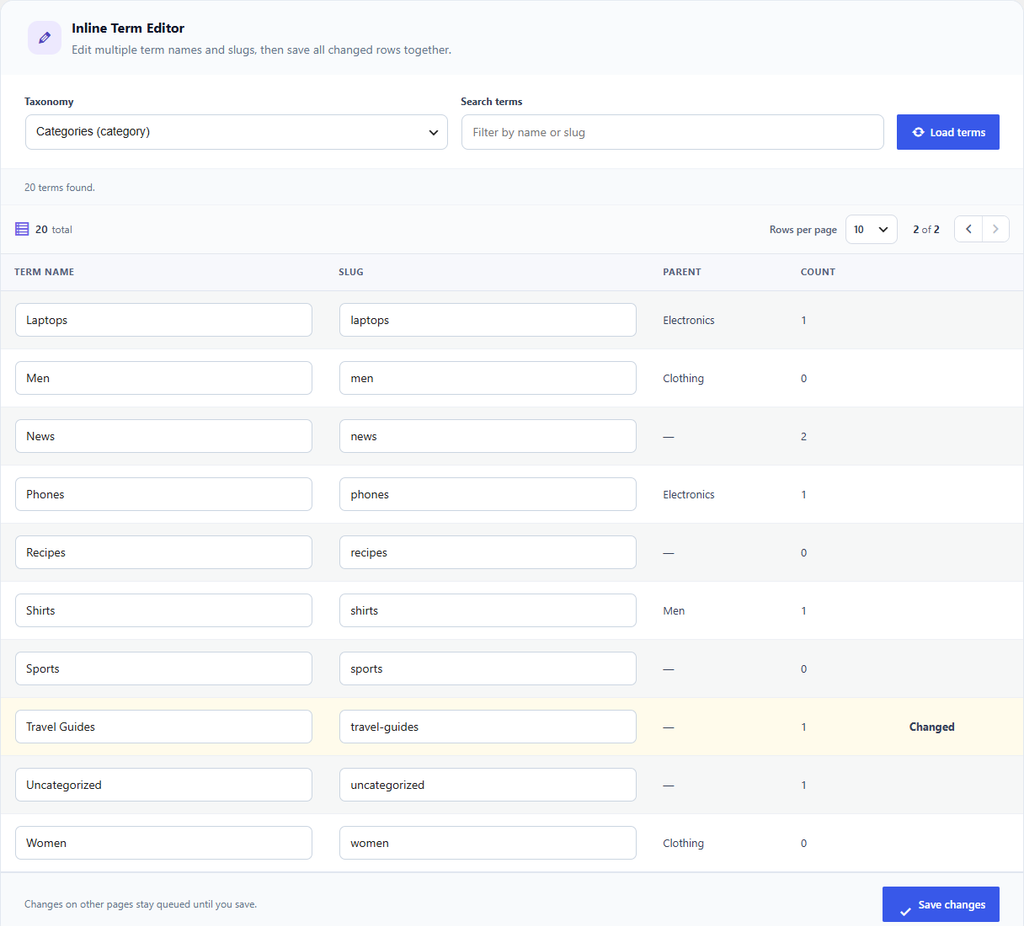
Figure 12. The Travel category renamed to Travel Guides, ready to save.
You can save up to 100 changed terms at a time. If you leave a slug empty, it is created from the name. Changing a slug changes the term’s web address; Term Redirects records the old address and sends visitors to the new one.